

OUR FIRST FLAGSHIP


ColaBox L2 Plus — Android 14 4K Streaming Box
- Regular price
-
$262.00 - Regular price
-
$309.00 - Sale price
-
$262.00
One-time purchase · No recurring fee · No hidden fees
One-time hardware purchase — no monthly device fees.
Live sports, movies, news & 3,500+ supported channels to explore — pre-loaded
4GB RAM + 64GB storage · Gigabit Ethernet · Built for your main TV
1-Year Limited Hardware Warranty + 60-Day Money-Back Guarantee
Couldn't load pickup availability


Specifications
OS: Android 14.0
CPU: 4-core processor (ARM Cortex-A55, 64-bit)
RAM: 4GB
Storage: 64GB
Video: 4K Ultra HD @60fps · HDR10+ · H.265 hardware decoding
Wi-Fi: Dual-band Wi-Fi 5 (802.11ac) + 2× external antennas
Bluetooth: 5.0 (BLE voice remote)
Ports: HDMI 2.0 · USB 2.0 ×2 · Optical Audio · AV Out · TF Card · Gigabit Ethernet
Audio: Dolby Digital / DD+ pass-through · Optical SPDIF
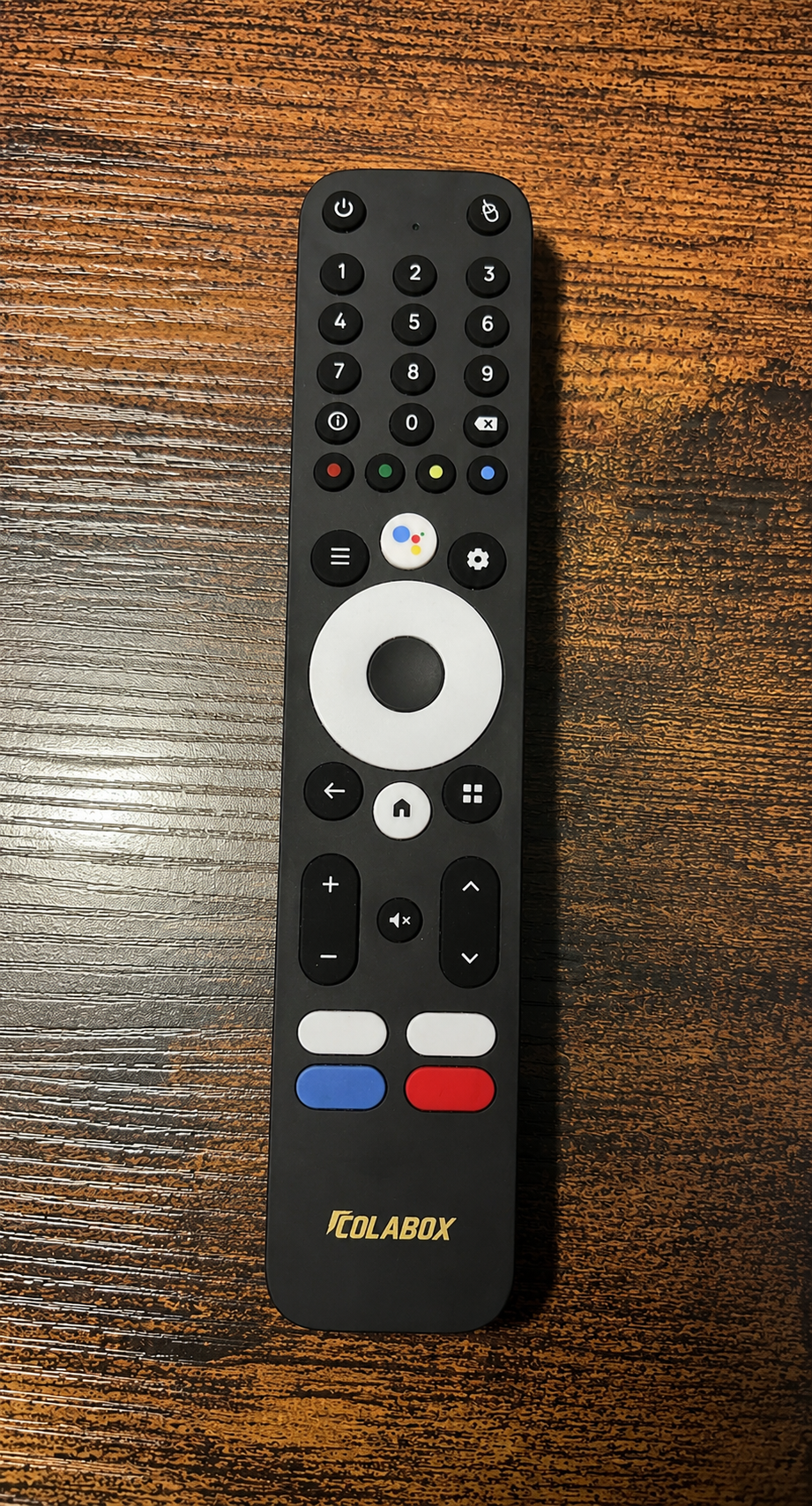
Remote: Voice remote with 4 programmable color buttons
Display: Front-panel LED display
Power: DC 12V/1A
Package Size: 8.3 × 6.2 × 3.3 in (21 × 15.7 × 8.3 cm)
Package Weight: 820 g (1.8 lb)
Plug & Play
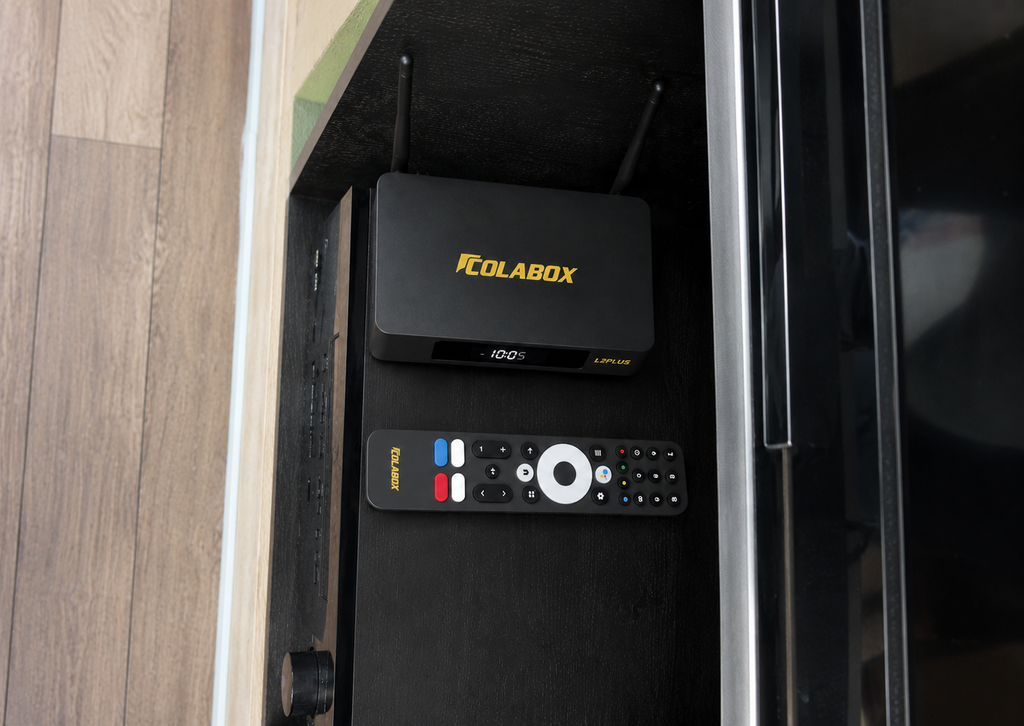
Connect HDMI to your TV, plug in power — done. Choose Wi-Fi or Ethernet for fast streaming.
What's in the Box
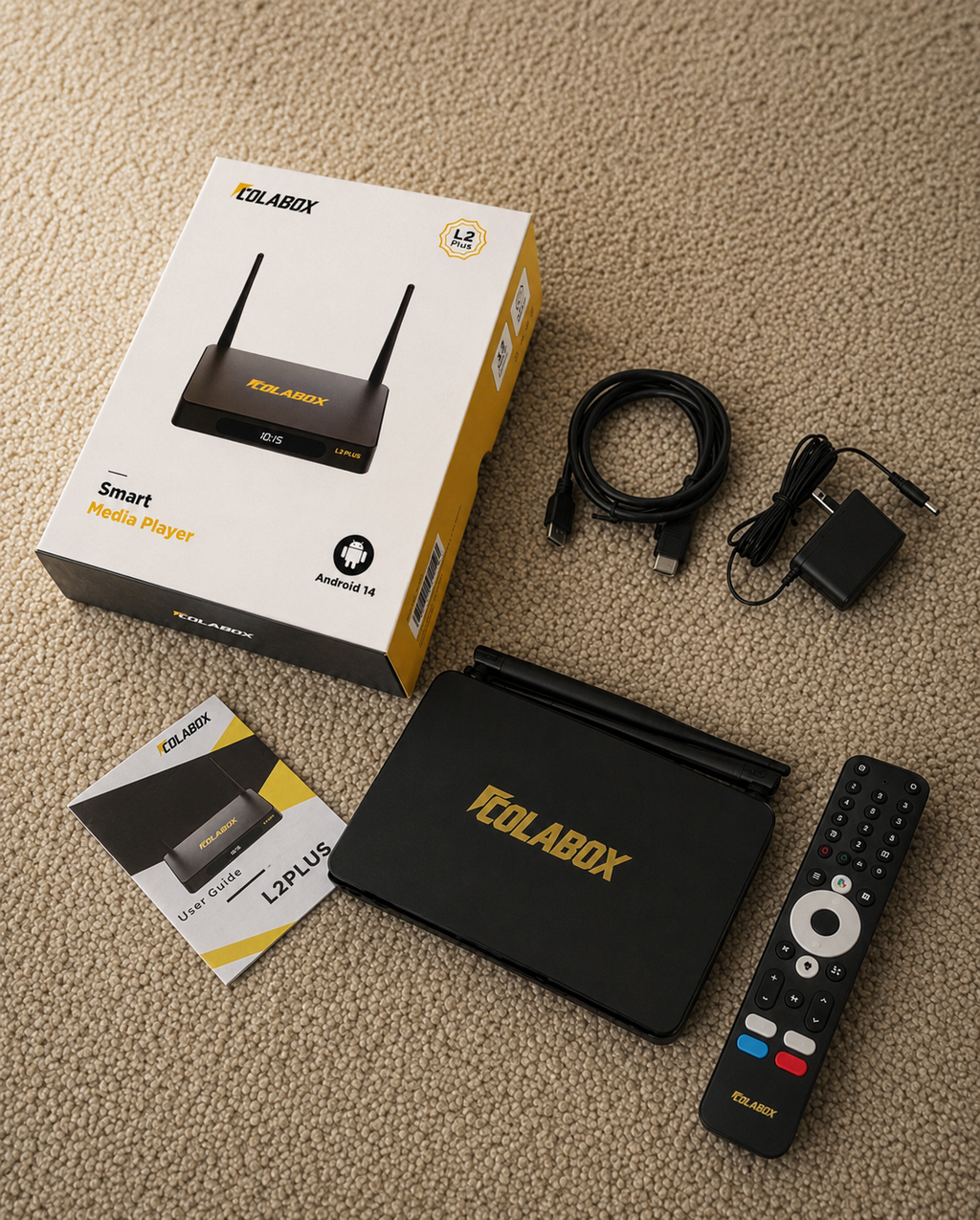
1× ColaBox L2 Plus Media Player
1× Smart Programmable Voice Remote
1× HDMI Cable
1× Power Adapter (DC 12V/1A)
1× User Manual
Shipping & Returns
Free standard shipping to eligible contiguous-US addresses from our East and West Coast warehouses. Orders are typically processed within 1 business day. Estimated delivery is 2–3 business days; delivery dates are not guaranteed. Tracking is emailed after shipment.
60-Day Returns: No restocking fee. Contact support for return authorization. Return shipping charges depend on the reason for return; see our Refund Policy.
1-Year Limited Hardware Warranty: Covers manufacturing defects and hardware malfunctions from delivery, subject to the Refund Policy.
Cost Comparison
How Much Will You Save?
See what you're really paying — and what you could keep in your pocket.
❌ Traditional Streaming
= $2,141 per year in this example.
✅ With ColaBox L2 Plus
Year 2, 3, 4... = $0 / year
LIVE PLUS
A Smarter Way to Explore
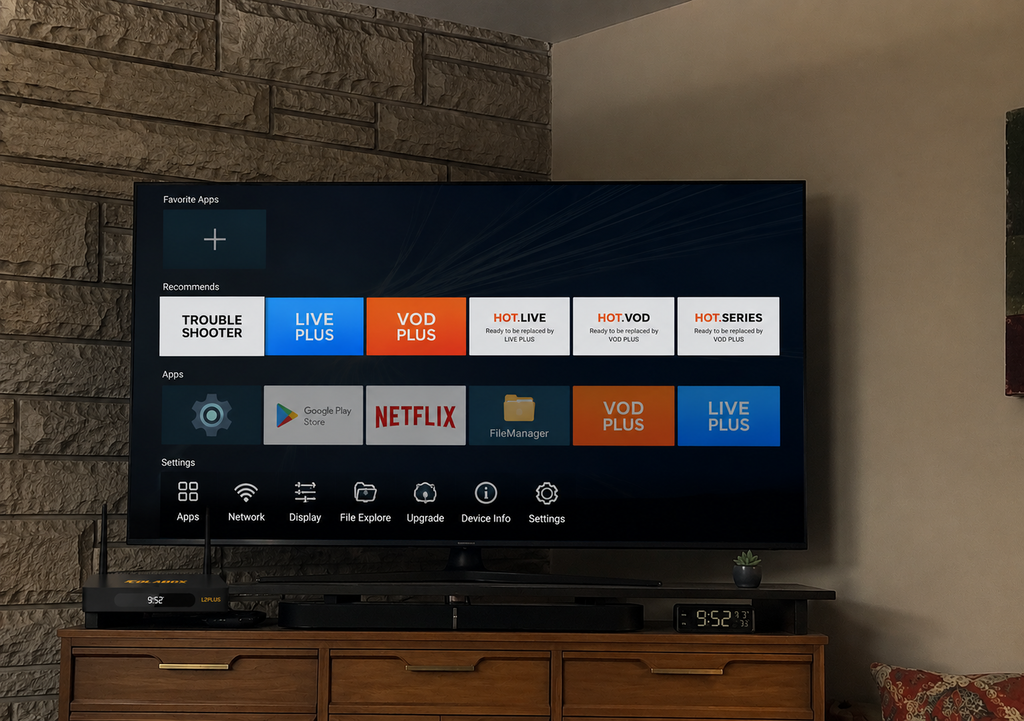
The latest Live Plus interface brings live content and events together in a cleaner, easier-to-navigate experience.
Browse supported sports and upcoming events from one dedicated screen.
Move between event dates and see what's coming up more quickly.
Search, Live TV, Events and Settings are organized in one streamlined menu.

Live TV + Events.
One Simpler Interface.
Switch between live viewing and event discovery with a clearer navigation structure designed for everyday use.

Video Reviews
See It In Action
Everything You Love. One Device.
3,500+ channels. Zero subscriptions. Stream what matters — sports, news, family, and more.
Live Sports
Explore supported sports channels and apps, with 7-Day Replay so you never miss the big game.
Movies & TV Shows
Thousands of titles on demand. Updated daily — always something new to watch.
Live News
24/7 live coverage from every major US and international network.
International Channels
50+ languages. Spanish, Chinese, Hindi, Arabic & more — your culture, your screen.
Kids & Family
Safe, fun content for every age. Channels the whole family will love.
Music & Radio
Stream music, live radio & podcasts. Always on, always free.
Quick Setup
Start Streaming in Three Steps
No technician. No complicated menus. Just three simple steps.
Plug In
Connect HDMI to your TV and plug in the power adapter. Allow the device to start up.
HDMI + Power
Connect
Choose Wi-Fi or plug in Ethernet. Select your language and time zone — follow the on-screen setup.
Wi-Fi or Ethernet
Watch
2 apps pre-loaded. Open and start streaming live TV, movies, and sports immediately.
Start Streaming
Watch the Full Setup Guide
Free VIP Setup Service
Not confident with tech? We've got you covered.
Our team offers FREE one-on-one video call setup assistance. From connecting your TV to finding your favorite channels — just book your session after purchase.
Catch Up on Supported Channels —
Up to 7 Days of Replay
Browse up to 7 days of replay on supported channels.
Replay on Supported Channels
↩ Browse available replay programs on supported channels.
Missed Sunday Night Football?
Check the replay guide for available broadcasts.
Want to rewatch last night's episode?
Check availability in the replay guide.
Need to catch up on this week's news?
Browse up to 7 days on supported channels.
Zero Extra Cost. Zero Setup. Zero Stress.
Built into every ColaBox L2 Plus — no subscription, no DVR hardware required.

Crystal Clear, Beautiful Picture
Enjoy Stunning Picture Quality That's Easy on the Eyes
The ColaBox L2 Plus gives you the sharpest, most beautiful picture quality available. Everything looks crisp and clear — whether you're watching your favorite shows, movies, or family videos. The colors are rich and natural, and the picture stays smooth and steady, no matter what you're watching.
- Ultra-sharp, crystal-clear picture quality
- Vibrant, natural colors that look beautiful
- Smooth, flicker-free viewing experience
- Reliable performance you can count on
Everything Works Smoothly
Simple Controls You'll Love Using
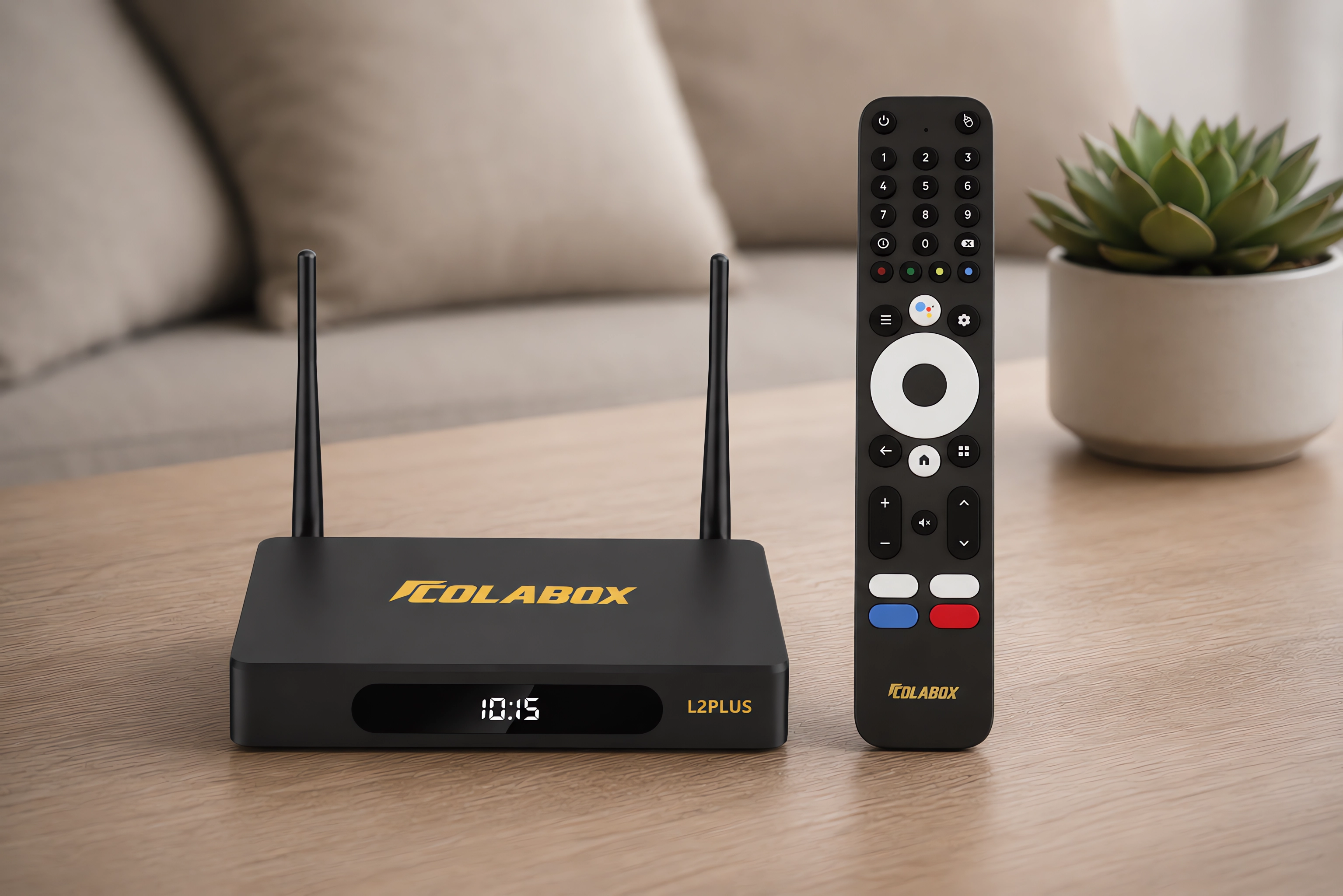
The ColaBox L2 Plus comes with a simple, comfortable remote that's easy to hold and understand. Just press the buttons to get to your favorite shows and apps instantly. We've pre-programmed 4 quick-access buttons so you can jump straight to what you love watching most.
- Easy-to-use remote with big, clear buttons
- Thousands of shows and movies at your fingertips
- Automatic updates keep everything running smoothly
- Strong, reliable connection for uninterrupted viewing

Stay Connected, No Interruptions
Rock-Solid Connection, Every Time
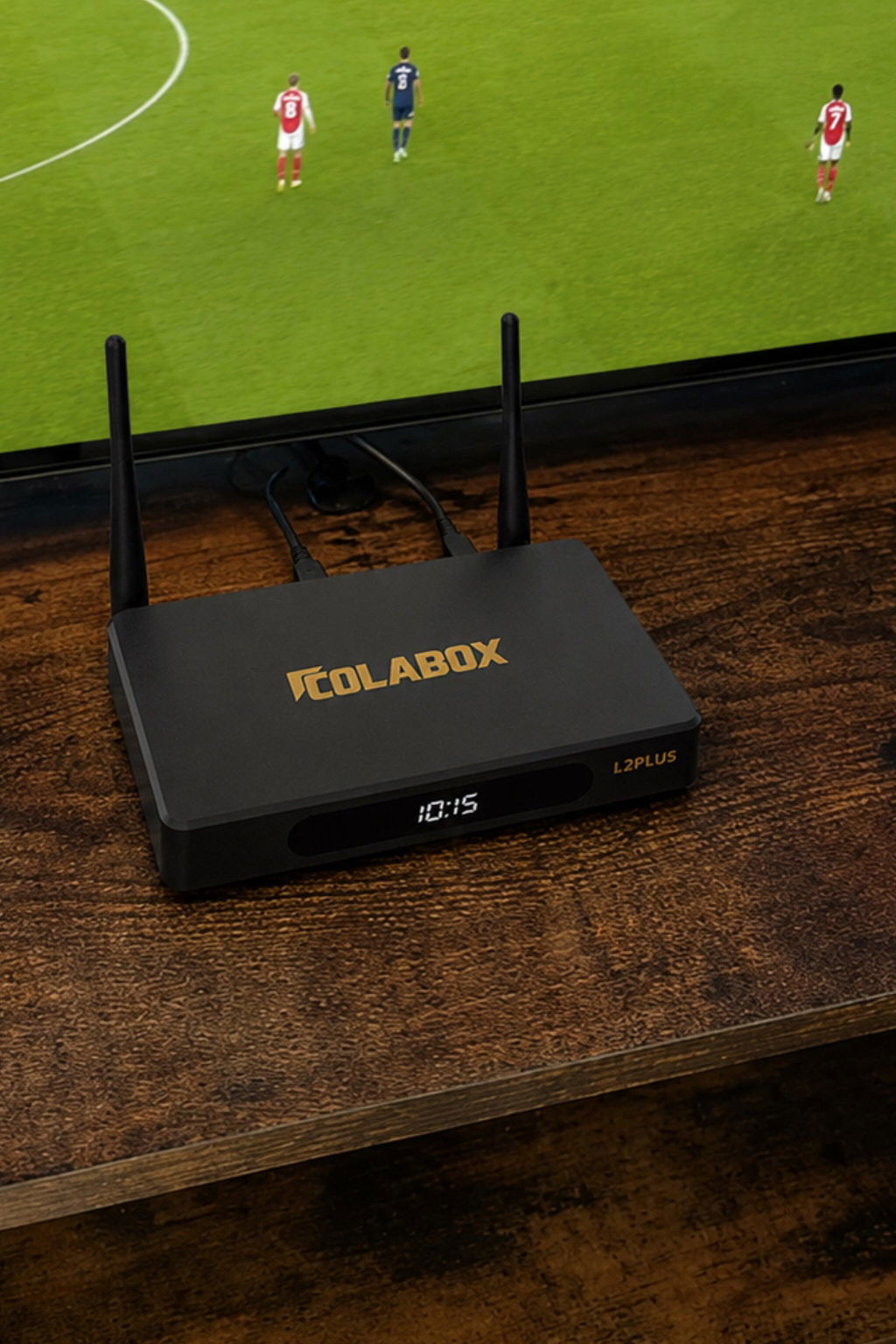
The ColaBox L2 Plus has powerful antennas that give you a strong, stable connection throughout your home. If you prefer a wired connection for extra reliability, just plug in the cable. Everything you need is already built in — no extra adapters or cables to buy.
- Powerful antennas for strong Wi-Fi throughout your home
- Wired connection option for extra reliability
- Everything you need is built in — no extra purchases
- Smooth streaming all day long
I am not a fan of complicated menus, so this update was a good change for me. Search, Live TV, and Events are all easier to understand now, and the whole app feels more organized.

I've had three other boxes before this one and the optical audio situation is always a disappointment. Either there's no optical port at all, or it's there but Dolby Digital passthrough doesn't actually work and you get downmixed stereo through your receiver. Tested this one through my Yamaha before I even set up the main content — Dolby Digital comes through clean, no issues. That alone was enough to keep it. 4K HDR10+ picture on my Sony X90L looks excellent. Android 14 is snappy. Apps load fast. The 4GB RAM makes a real difference for running multiple things without lag. At $309 with zero monthly fees and genuine Dolby optical passthrough, this is the best value box I've found at any price. My previous box was $399 and this one is better where it actually matters to me.
Set this up about 5 weeks ago. Picture quality is excellent — 4K on my TCL looks better than cable did. Voice remote is responsive, picks up from across the room. 7-day replay has already come in handy twice for games I forgot were on. The 4GB RAM means everything runs smoothly, no lag. My one note: the settings menu took me a while to get comfortable with — it's not complicated, just takes a bit of exploring before you know where everything lives. Not a dealbreaker at all, just something to know going in. Ethernet connection is rock solid, not a single buffer in 5 weeks. For $309 one time with a 365-day warranty and 60-day returns, the risk is basically zero. Good box.
My husband and I are from Guadalajara and have been trying to find a reliable Spanish content solution in the US for years. We've tried different services and they either have limited selection, poor stream quality, or you're paying $40/month extra for a Latino add-on. We've been using the L2 Plus for about 10 weeks now. The Spanish channel selection is genuinely the most comprehensive we've found at any price. My husband watches soccer and news, I watch my shows — everything is there and the picture quality is consistent. Initial setup took us maybe 25 minutes because we spent time organizing the channel list the way we wanted it, but that's a one-time thing. 4K is sharp. No monthly fees. We're saving around $130 a month compared to before. Highly recommend to anyone in the same situation.
I've been telling myself I was going to cancel Spectrum since my bill hit $170. Finally did it two weeks after setting this up. Took about 15 minutes to get running — HDMI in, WiFi connected, walked through the initial setup, done. The 4K on my Hisense is genuinely better than cable was. The 7-day replay is the feature that sealed it for me because I watch a lot of sports and I'm not always home when games are on. Went back and watched a full Sunday game the next Monday morning. The channel organization took me a little while to sort through at first but you figure it out. $309 one time vs $170 a month. I don't know what I was waiting for.
My dad is 72 and has been paying for a cable package forever because he didn't know what else to do. Bought him this, set it up in about 20 minutes at his place. The key feature for him is the voice remote — he's never been comfortable typing on a TV keyboard and now he just says what he wants. I set two of the shortcut buttons to his most-watched channels so he doesn't even have to navigate. He called me four days after I left to tell me he'd found the Spanish news channels on his own and figured out how to add them to his favorites. This is a man who has never successfully installed an app in his life. The box has been running for 6 weeks now, zero calls from him about technical issues. That's basically a perfect review.
Frequently Asked Questions
How easy is the setup?
Connect HDMI and the supplied power adapter, connect to Wi-Fi or Gigabit Ethernet and follow the on-screen setup. A quick-start guide is included, and 24/7 human support is available.
Do I need to pay any monthly fees?
One-time purchase. No monthly device fees. Both ColaBox L2 Plus and ColaStick V1 Plus offer 3,500+ supported channels.
Is ColaBox legal to use?
Yes. ColaBox L2 Plus is an Android TV box that runs Google Play Store apps — the same platform used by millions of devices worldwide. It is legal to own and use. Content availability depends on the apps you choose to install.
What apps can I install?
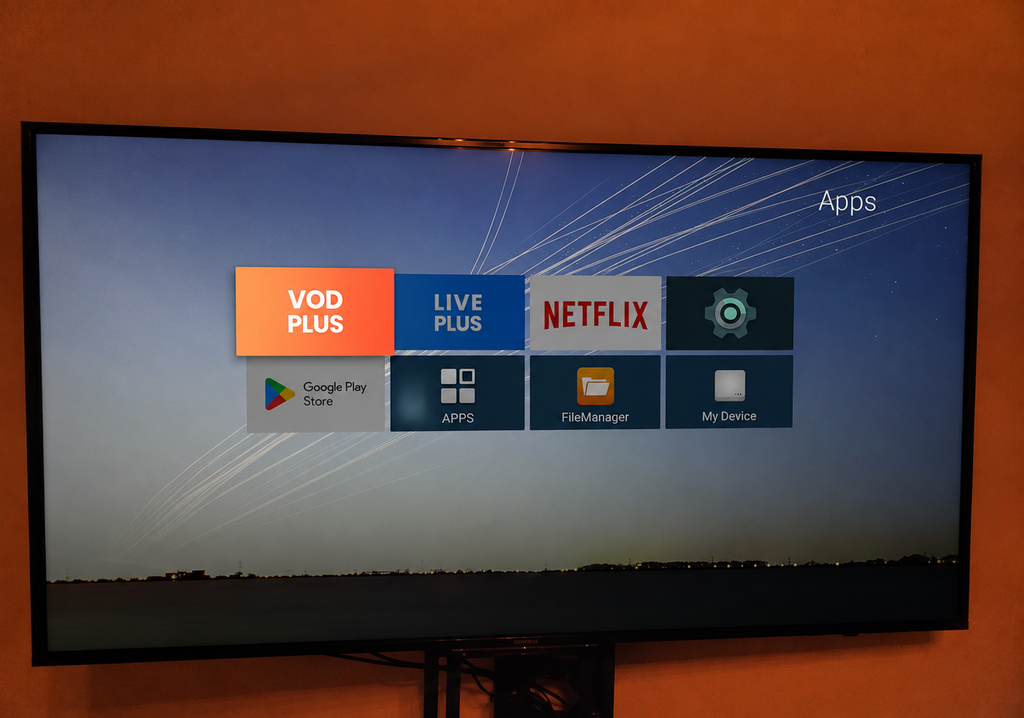
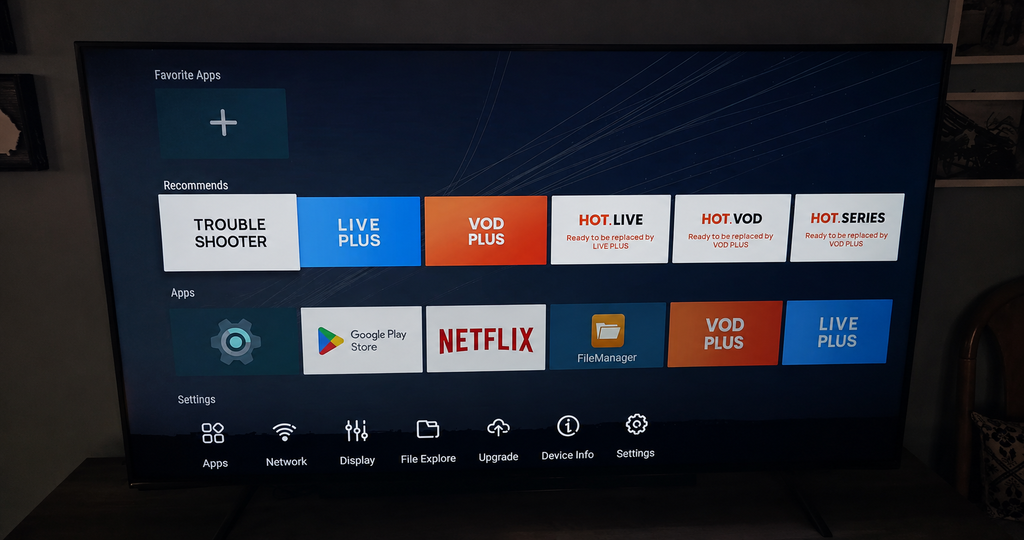
ColaBox runs Android 14.0 with full Google Play Store access — 3M+ apps including streaming services, sports, music, news, and more. Two apps come pre-loaded so you can start watching immediately.
Is the picture quality really 4K?
Yes. True 4K Ultra HD (3840×2160) with HDR10+ and H.265 hardware decoding at 60fps. You'll need a 4K TV for the full experience; the device also outputs 1080p for standard HD televisions.
What internet speed do I need?
We recommend a minimum of 25 Mbps for smooth 4K streaming. ColaBox supports Wi-Fi (dual external antennas) and Gigabit Ethernet for the most stable connection possible.
How does the 7-Day Replay work?
Browse up to 7 days of replay on supported channels. Select an available program in the replay guide and press play. Replay availability varies by channel.
What if I can't connect to Wi-Fi?
First, confirm your Wi-Fi password is correct and your router is working. Try restarting ColaBox and your router. If issues persist, plug in an Ethernet cable for an instant wired connection — or contact our support team and we'll walk you through it.
Can I use a different remote control?
Standard infrared remotes are compatible, but voice commands require the included ColaBox remote. We recommend using the original remote for the best experience.
How many TVs can use one ColaBox at the same time?
ColaBox connects to one TV at a time. For multiple TVs, you would need a separate ColaBox unit for each. Tip: For travel, RV, or a second TV, check out the smaller ColaStick V1 Plus — same channels, pocket-size HDMI stick.
Does ColaBox receive software updates?
Yes. ColaBox L2 Plus supports automatic OTA (over-the-air) firmware updates, so your device stays current with the latest features and improvements — no manual action needed.
Where do you ship and how long does it take?
We ship FREE across the contiguous US. Standard delivery is 2–3 business days with full tracking provided.
What is your warranty and return policy?
60-Day Returns: No restocking fee. Contact support for return authorization. Return shipping charges depend on the reason for return; see our Refund Policy.
1-Year Limited Hardware Warranty: Covers manufacturing defects and hardware malfunctions from delivery, subject to the Refund Policy.
Do I need a VPN to use ColaBox?
No VPN required. Simply connect to your home Wi-Fi or Ethernet and start watching. ColaBox works on any standard internet connection.